Tech Bytes

Someone in a workshop office reviewing an AI-drafted customer email, showing the balance between saving time with AI and keeping the personal service customers remember.

AI Saves You Time, But Don’t Let It Take the Personality Out of Your Business

Noticed how many business emails, quotes and websites are starting to read exactly the same? Tidy, correct and completely forgettable. As more workshops lean on AI to save time, the ones that stand out still sound like real people. Here’s a plain-English look at where AI genuinely helps your business, where it quietly takes the personality out, and how to keep the time savings without losing the touch customers remember.

AI Saves You Time, But Don’t Let It Take the Personality Out of Your Business Read More »

AI

A smiling man holding up a bright yellow sticky note marked "A.I." with a downturned mouth drawn underneath, next to the headline "Do you know which AI tools your team uses?" and the EC Computers logo.

Do You Actually Know Which AI Tools Your Team Is Using on the Shop Floor?

Reckon your workshop doesn’t use AI? Your team probably does. Drafting customer emails, summarising job notes, tidying up quotes, it’s all happening quietly in free tools nobody approved. It feels like a time-saver, but customer details and pricing can end up where you can’t see them. Here’s a plain-English look at spotting what’s really being used and keeping it under control.

Do You Actually Know Which AI Tools Your Team Is Using on the Shop Floor? Read More »

AI
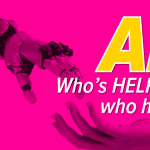
A robotic hand reaching down toward an open human hand on a hot pink background, with bold text reading "AI: Who's helping who here?" and the EC Computers logo.

Are Your People Doing the Robot’s Job? How “Human Middleware” Slows the Workshop Down

AI was supposed to save your team time. Instead, plenty of workshops find their people acting as the glue between systems, copying job details by hand, re-typing figures and fixing AI results that were nearly right. It can feel productive, but it is time off the tools and a chance for mistakes. Here is how to spot “human middleware” and keep the work flowing.

Are Your People Doing the Robot’s Job? How “Human Middleware” Slows the Workshop Down Read More »

AI
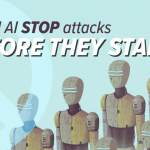
Illustration of a line of retro-style humanoid robots, one picked out in blue, under the headline "Could AI STOP attacks before they start?" with the EC Computers logo.

Could AI Stop Attacks Before They Start? What It Really Means for Keeping the Workshop Moving

Cyber security is changing. AI is starting to sniff out weaknesses before attackers can use them, and Microsoft’s early work is genuinely clever. But if you run a hands-on business, the headline tech does not change what keeps the workshop moving. Here is the plain-English take on where AI fits, and why the practical basics still matter most.

Could AI Stop Attacks Before They Start? What It Really Means for Keeping the Workshop Moving Read More »

AI Cyber Security

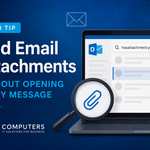
Tech Tip: Find Email Attachments Without Opening Every Message

Know someone sent you that important document, but can’t remember which email it was attached to? Here’s a quicker way to track it down in Outlook. We’ve all done it. You know somebody emailed you a PDF, quotation, spreadsheet or other document. You remember roughly who sent it, perhaps even when it arrived, but finding

Tech Tip: Find Email Attachments Without Opening Every Message Read More »

Microsoft Tech Bytes Tech Bytes Tips
Worker at a Windows 11 PC in a busy workplace, showing faster, more responsive computing that keeps jobs flowing.

Stop Losing Minutes to a Slow PC: Windows 11’s Speed Upgrade That Keeps the Workshop Moving

Waiting for a folder to open. Clicking twice because Windows didn’t respond first time. It’s amazing how much time disappears into tiny delays across a working day. The good news: Microsoft is reworking Windows 11 to be faster and smoother where it actually counts. Here’s what’s changing – and how to make sure your kit keeps the work flowing.

Stop Losing Minutes to a Slow PC: Windows 11’s Speed Upgrade That Keeps the Workshop Moving Read More »

Microsoft Tech News
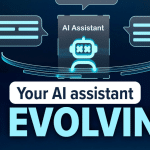
Illustration of an AI voice assistant handling routine customer phone calls for a busy workshop or light industrial business.

Could an AI Voice Assistant Answer Your Phone So Your Team Can Keep the Work Moving?

How much of your team’s day goes on answering the same phone questions instead of getting jobs out the door? A new wave of AI voice assistants can now handle those routine calls in plain conversation – freeing your people to stay on the tools. Here’s a practical, no-nonsense look at whether it could keep your workshop moving.

Could an AI Voice Assistant Answer Your Phone So Your Team Can Keep the Work Moving? Read More »

AI

Make Important Emails Stand Out Automatically

Never miss an important customer, supplier or project email again, use Outlook conditional formating.. Make Important Emails Stand Out Automatically in Outlook We’ve all experienced it. An important customer email arrives, gets buried beneath newsletters, automated notifications and internal messages, and isn’t noticed until hours later. If your inbox receives a high volume of emails

Make Important Emails Stand Out Automatically Read More »

Tech Bytes Tech Bytes Tips

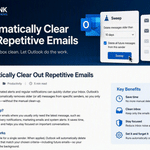
Automatically Clear Out Repetitive Emails in Outlook

Is your inbox constantly filling up with newsletters, automated notifications, status reports and marketing emails? While many of these messages are useful, they can quickly bury the emails that actually need your attention. Fortunately, Microsoft Outlook includes a simple but often overlooked feature called Sweep that can automatically manage repetitive emails for you, helping keep

Automatically Clear Out Repetitive Emails in Outlook Read More »

Tech Bytes Tips
A close-up of a CAPTCHA-style "prove you're not a robot" prompt on a screen, illustrating the fake CAPTCHA scam that can catch busy workshop and trade teams out.

Fake CAPTCHAs on the Shop Floor: The “Prove You’re Human” Trick That Can Cost You Time and Money

When you’re flat out on the job, a CAPTCHA is just another box to tick. Scammers know it and a new fake version asks you to “prove you’re human” by sending a text, quietly running up premium-rate charges that only appear weeks later. Here’s how the trick works, why it catches busy teams out, and the one simple rule that keeps your workshop protected.

Fake CAPTCHAs on the Shop Floor: The “Prove You’re Human” Trick That Can Cost You Time and Money Read More »

Cyber Security

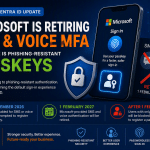
Ultimate Guide to Microsoft’s 2027 SMS MFA Retirement: What Businesses Need to Do Now

Microsoft is retiring Microsoft-provided SMS and voice authentication in Microsoft Entra ID on 1 February 2027. If your organisation still uses text messages or phone calls for Microsoft 365 multi-factor authentication, now is the time to prepare. Microsoft has confirmed that passkeys will become the default authentication experience in Microsoft Entra ID, with users currently

Ultimate Guide to Microsoft’s 2027 SMS MFA Retirement: What Businesses Need to Do Now Read More »

Tech Bytes
Scroll to Top