A Practical Guide to AI in Microsoft 365 with CoPilot
Reduce Admin, Improve Productivity and Unlock More Value from Microsoft 365
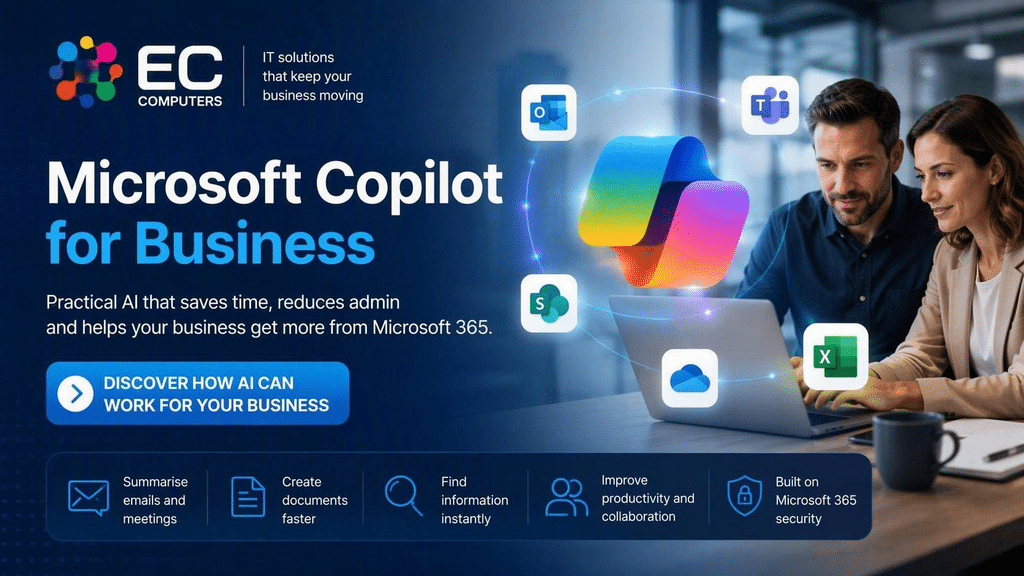
Artificial intelligence is becoming part of everyday business software. If your organisation uses Microsoft 365, chances are you’ve already heard about Microsoft Copilot, Microsoft’s AI assistant designed to help employees work faster, find information more easily and reduce repetitive administration.
But what exactly is Microsoft Copilot?
How does it work?
Is it secure?
And is it worth the investment for your organisation?
At EC Computers, we help businesses understand, deploy and govern Microsoft Copilot so they can benefit from AI while maintaining security, compliance and control; read our Microsoft Copilot Services information
What Is Microsoft Copilot?
Microsoft Copilot is an artificial intelligence assistant built into Microsoft 365 applications including:
- Outlook
- Teams
- Word
- Excel
- PowerPoint
- OneDrive
- SharePoint
Unlike public AI tools that rely on information from the internet, Microsoft Copilot can work with the information your employees already have permission to access within Microsoft 365.
This allows employees to:
- Summarise emails
- Create documents
- Analyse data
- Generate presentations
- Produce meeting notes
- Search company knowledge
- Find information faster
- Automate repetitive tasks
In simple terms, Copilot helps employees spend less time searching, writing and organising, and more time doing productive work.
What Can Microsoft Copilot Do?
Email Management
Copilot can summarise lengthy email conversations, highlight key actions and help draft professional responses.
This can save significant time for busy teams managing large volumes of email every day.
Meeting Productivity
Copilot can create meeting summaries, identify decisions made, highlight action items and assist with follow-up tasks.
Staff spend less time taking notes and more time participating in discussions.
Document Creation
Need to create a proposal, report, quotation summary or internal policy?
Copilot can help generate first drafts that employees can then review and refine.
Data Analysis
Copilot can assist users in understanding trends, identifying patterns and interpreting spreadsheet data more quickly.
Knowledge Discovery
Many businesses have information spread across Microsoft Teams, OneDrive, SharePoint and email.
Copilot helps employees locate information without manually searching multiple systems.
Why Businesses Are Investing In AI
Most organisations do not struggle because staff lack skill or commitment.
They struggle because employees spend too much time:
- Searching for information
- Managing administration
- Responding to repetitive enquiries
- Producing similar documents
- Updating records
- Organising meetings
- Chasing actions
Microsoft Copilot helps reduce this administrative overhead.
Businesses often see the greatest value when Copilot is used to support employees rather than replace existing business processes.
The objective is not to remove people.
The objective is to remove low-value administration.
Is Microsoft Copilot Worth It?
This is one of the most common questions we are asked.
The answer depends on:
- How heavily your organisation uses Microsoft 365
- How much time staff spend on administration
- The quality of your data
- The maturity of your processes
- How effectively information is organised
Organisations that already use Teams, SharePoint, OneDrive and Microsoft 365 extensively often see the greatest benefits because Copilot has more information available to work with.
A Copilot assessment can help identify whether licensing and deployment are likely to generate a worthwhile return on investment.
Common Microsoft Copilot Use Cases
Manufacturing
- Production reporting
- Quality documentation
- Internal communications
- Training materials
- Process documentation
Workshops & Garages
- Customer communication
- Knowledge sharing
- Administration reduction
- Internal procedures
- Workshop documentation
Estate Agents
- Property descriptions
- Email drafting
- Meeting summaries
- Internal knowledge management
Professional Services
- Client communications
- Report generation
- Research assistance
- Meeting follow-up
Care Homes
- Administrative support
- Documentation assistance
- Internal communications
- Policy management
Is Microsoft Copilot Secure?
Microsoft Copilot follows the permissions already configured within Microsoft 365.
This means employees can only access information they already have access to.
However, Copilot often highlights security and governance issues that have existed for years without being noticed.
For example:
- Excessively open SharePoint permissions
- Poorly managed file shares
- Historical oversharing
- Inconsistent document management
- Uncontrolled OneDrive access
Before deploying Copilot, organisations should review their Microsoft 365 environment to ensure permissions and governance are properly configured.
Preparing Microsoft 365 For AI
The businesses seeing the greatest success with AI usually focus on preparation before deployment.
This includes:
Data Governance
Ensuring documents are stored appropriately and access permissions are correct.
Information Structure
Making it easy for both employees and AI tools to find the information they need.
Security Controls
Reducing the risk of inappropriate access to sensitive information.
AI Policies
Providing clear guidance on how employees should use generative AI within the business.
User Training
Helping employees understand where AI adds value and where human oversight remains essential.
The Future Of Microsoft Copilot
Microsoft continues to expand Copilot capabilities through new automation features, AI agents and deeper integration with Microsoft 365.
This means organisations are moving beyond simple AI assistance towards AI-powered workflows that can help complete routine business processes automatically.
While the technology is evolving rapidly, successful organisations typically adopt new capabilities gradually, ensuring security, governance and business needs remain at the centre of every decision.
How EC Computers Can Help
We help organisations adopt Microsoft Copilot safely and effectively through:
Microsoft Copilot Readiness Assessments
Identify whether your Microsoft 365 environment is ready for AI.
Microsoft 365 Optimisation
Improve data organisation, security and collaboration.
SharePoint & OneDrive Reviews
Ensure information is structured correctly before deployment.
Security & Governance Assessments
Reduce risks while maintaining compliance.
Staff Training & Adoption
Help users gain practical value from AI tools.
Ongoing Support
Provide expert Microsoft 365 and Copilot guidance as your organisation evolves.
Frequently Asked Questions
What licence do I need for Microsoft Copilot?
Licensing options vary depending on your Microsoft 365 subscription and business requirements.
Can Microsoft Copilot access confidential documents?
Only if the user already has permission to access those documents.
Does Copilot replace employees?
No. Copilot is designed to assist employees by reducing repetitive tasks and administrative workloads.
Is Copilot suitable for small businesses?
Yes. Many small and medium-sized organisations are already using Copilot to improve productivity and make better use of Microsoft 365.
Can Copilot work with SharePoint?
Yes. SharePoint is often one of the most valuable sources of information for Microsoft Copilot because it contains organisational knowledge, documents and business processes.
Ready To Explore Microsoft Copilot?
Whether you’re considering your first AI deployment or looking to improve an existing Microsoft 365 environment, EC Computers can help you understand where Microsoft Copilot can deliver genuine business value.
Book a Microsoft Copilot Consultation Today
Call 0117 200 1000 or contact us here