Microsoft 365 Business Premium gives SMEs much more than Word, Excel, Outlook and Teams. It combines everyday productivity with advanced security, identity and device protection, helping businesses take greater control of who can access their systems, from where and on which devices.
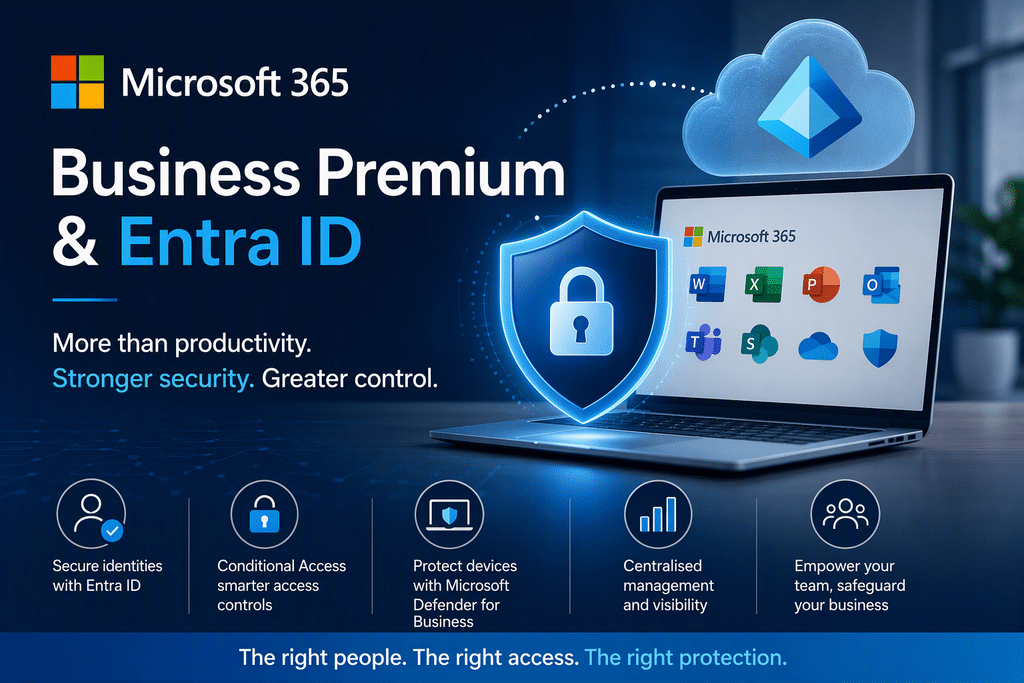
For many businesses, Microsoft 365 started life as a convenient way to get email and familiar Office applications into the cloud.
But the way we work has changed.
Employees work from the office, from home and on the move. Business information is accessed from laptops, mobiles and other devices, and cybercriminals increasingly target people and their identities, not simply the network sitting behind the office firewall.
That’s where Microsoft 365 Business Premium and Microsoft Entra ID become particularly valuable.
First Things First: You Don’t Necessarily Need to Buy Entra Separately
This is an important point.
Microsoft Entra ID P1 is included with Microsoft 365 Business Premium.
So when we talk to customers about upgrading to Business Premium and taking advantage of Entra, we’re not necessarily suggesting two separate products.
Instead, Business Premium unlocks a collection of additional security and management capabilities, with Entra ID P1 providing important identity and access controls, including Conditional Access.
Think of it as moving from:
“Does this person know the password?”
to:
“Should this person, using this device and under these circumstances, be allowed to access our business systems?”
That’s a significant difference.
What Does Microsoft 365 Business Premium Add?
Microsoft 365 Business Premium combines Microsoft’s productivity tools with additional security, identity and administrative capabilities.
For an SME, some of the most interesting benefits are:
- Microsoft Entra ID P1
- Conditional Access
- Microsoft Defender for Business
- Centralised security management
- Additional device security capabilities
- Multifactor authentication and identity management
Microsoft describes Business Premium as providing device security through Defender for Business, including endpoint detection and response, attack-surface reduction, web category blocking, centralised management and automated investigation and response capabilities. [microsoft.com]
In other words, Business Premium isn’t just about giving employees software.
It’s also about giving the business more control over the environment in which that software and business information are being used.
Why Is Microsoft Entra ID Important?
Microsoft Entra ID, previously known as Azure Active Directory, is Microsoft’s cloud-based identity platform.
And identity has become one of the most important areas of modern cybersecurity.
Think about everything your Microsoft 365 identity can potentially provide access to:
- Microsoft 365 applications
- Teams
- SharePoint
- OneDrive
- Business applications
- Company information
Simply knowing a username and password should therefore not automatically mean someone can access everything.
Entra ID P1 introduces additional identity-management capabilities, including Conditional Access.
Conditional Access: Putting Rules Around Access
Conditional Access is one of the most compelling reasons for SMEs to consider Business Premium.
Microsoft describes Conditional Access as a policy engine designed to help organisations control how users access corporate resources. Policies can use signals including the user context, device, location and session information when determining whether access should be allowed, blocked, limited or require additional verification.
That allows organisations to move beyond a simple password-based approach to security.
Depending on the policies an organisation chooses to implement, access can be controlled based on the circumstances surrounding the login.
For example, an organisation may decide that particular circumstances warrant additional verification, while others should have access restricted.
The key advantage is control.
Instead of applying exactly the same access decision to every login, the organisation can establish policies appropriate to its security requirements.
What About Multifactor Authentication?
Multifactor authentication, or MFA, adds another layer of security beyond the user’s password.
But Entra ID P1 and Conditional Access allow businesses to take a more sophisticated approach to access controls.
Microsoft states that Conditional Access policies can be configured to block access, require multifactor authentication or restrict a user’s session when required.
The aim isn’t to make employees’ lives difficult.
It’s about achieving a sensible balance between:
Security + Usability + Control
Protecting the Device Matters Too
Identity is only part of the picture.
Imagine a user has the correct Microsoft 365 credentials, but the computer they’re using is potentially compromised.
That’s another risk.
Microsoft 365 Business Premium includes Microsoft Defender for Business, which Microsoft says provides capabilities including:
- Protection against ransomware, malware and other cyberthreats
- Attack-surface reduction
- Network protection and firewall capabilities
- Endpoint detection and response
- Centralised Defender management and reporting
- Automated investigation and response
This helps businesses think about security more holistically.
It isn’t simply:
“Is the username and password correct?”
It’s also about protecting the endpoint being used to access business information.
One Joined-Up Security Strategy
This is where we believe Business Premium becomes particularly interesting for SMEs.
Traditionally, businesses might have separate products looking after:
Email → Antivirus → PCs → User accounts → Remote access → Applications
The challenge is that cybersecurity doesn’t operate in isolated boxes.
A compromised identity can lead to data access. A compromised computer can lead to stolen credentials. A poorly controlled account can create unnecessary exposure.
Business Premium brings a range of Microsoft’s business security and identity capabilities together under the Microsoft 365 umbrella.
That provides an opportunity to create a much more joined-up approach to IT security.
Business Premium Isn’t a Replacement for Good IT Management
There’s an important caveat.
Buying Microsoft 365 Business Premium doesn’t automatically make a business secure.
The technology provides additional tools and capabilities, but they still need to be appropriately configured and managed.
Conditional Access is a good example.
Microsoft provides the capability to define access policies.
The important question for each business is:
“What should our access policies actually be?”
That depends on how the organisation works, the devices employees use, the applications they rely upon and the level of security required.
That’s where good IT management remains essential.
Is Business Premium Worth It for an SME?
Not every organisation has exactly the same requirements.
But if your business is becoming increasingly dependent on Microsoft 365, it makes sense to consider whether the security and management around those services has evolved at the same pace.
Ask yourself:
🔐 How well protected are our Microsoft 365 identities?
💻 How are the devices accessing company information protected?
🌍 Can we control access according to the circumstances surrounding a login?
🚨 What protection do we have against ransomware and other endpoint threats?
👤 How much control do we have over user access?
🛡️ Are we using Microsoft 365 simply for productivity, or are we taking advantage of its broader security capabilities?
If those questions are difficult to answer, it may be time to review your Microsoft 365 licensing and configuration.
From Microsoft 365 to a More Secure Microsoft Environment
Microsoft 365 Business Premium is best thought of as much more than an Office licence.
For SMEs, its real value is the opportunity to combine productivity, identity, device protection and security management.
Microsoft Entra ID P1 adds important identity and access functionality, while Conditional Access provides greater control over the circumstances under which users can access corporate resources. Defender for Business adds additional device and threat-protection capabilities.
The result is a move away from simply asking:
“Can our employees access Microsoft 365?”
towards the much more important question:
“Can the right people securely access the right business resources in the right circumstances?”
And in today’s cybersecurity environment, that’s a much better question to be asking.
Could Your Business Benefit from Microsoft 365 Business Premium?
At EC Computers, we can review your existing Microsoft 365 environment, licensing and security requirements and help you understand whether Business Premium and the capabilities available through Microsoft Entra ID would benefit your organisation.
We’ll explain the options in plain English and help you get more from the Microsoft services you’re already using.
Ready to strengthen your Microsoft 365 security?
Talk to EC Computers about Microsoft 365 Business Premium → Call 0117 200 1000 or contact us here