
Microsoft is retiring Microsoft-provided SMS and voice authentication in Microsoft Entra ID on 1 February 2027. If your organisation still uses text messages or phone calls for Microsoft 365 multi-factor authentication, now is the time to prepare.
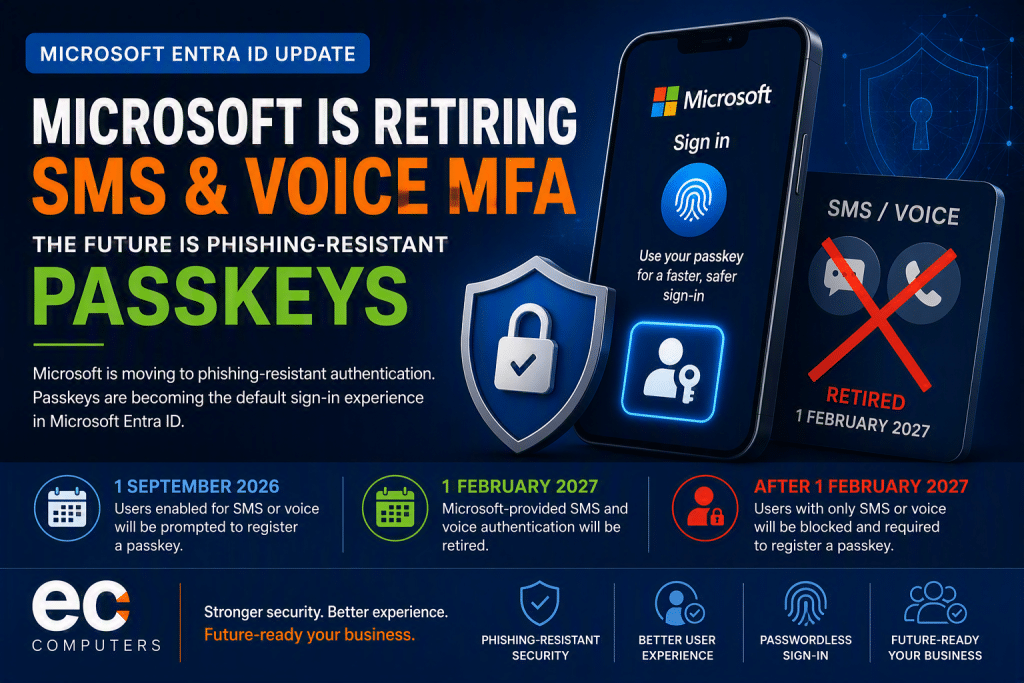
Microsoft has confirmed that passkeys will become the default authentication experience in Microsoft Entra ID, with users currently enabled for SMS or voice authentication being automatically prompted to move towards passkeys from 1 September 2026. Microsoft-provided SMS and voice authentication will then be fully retired on 1 February 2027.
For many small and medium-sized businesses, this is an important change. SMS-based MFA has been widely used because it is familiar and easy to understand. However, Microsoft is making this change because SMS and voice authentication are now considered weaker and more vulnerable to phishing, SIM-swap attacks, social engineering and account compromise.
This guide explains what is changing, why it matters, what passkeys are, how the change affects Microsoft 365 users, and what your organisation should do before the 2027 deadline.
Quick Summary: What Is Microsoft Changing?
Microsoft is changing how users authenticate to Microsoft Entra ID, which underpins Microsoft 365, Azure and many business cloud services.
The key changes are:
- Passkeys will become the default authentication experience in Microsoft Entra ID.
- Users currently enabled for SMS or voice MFA will be prompted to register a passkey from 1 September 2026.
- Microsoft-provided SMS and voice authentication will retire on 1 February 2027.
- After 1 February 2027, users whose only MFA method is SMS or voice will receive a blocking prompt and must register a passkey before continuing.
- There is no opt-out from the February 2027 enforcement.
In plain English: if your business still relies on text messages or phone calls for Microsoft 365 MFA, you need to move users to a stronger authentication method before February 2027.
Why Is Microsoft Retiring SMS and Voice Authentication?
Microsoft is retiring SMS and voice authentication because these methods are no longer considered strong enough against modern identity attacks.
Cyber criminals increasingly use phishing kits, fake Microsoft login pages, social engineering calls and AI-assisted scams to steal passwords and authentication codes. SMS and voice MFA rely on one-time codes or phone channels that can be intercepted, tricked out of users or compromised through SIM-swap attacks.
Microsoft’s own security guidance explains that SMS and voice are among the most vulnerable authentication methods available today and offer weaker protection than passkeys.
Common risks with SMS and voice MFA include:
- SIM-swap fraud, where attackers take control of a user’s mobile number.
- Phishing attacks, where users are tricked into entering MFA codes into fake login pages.
- Replay attacks, where stolen codes are reused quickly by attackers.
- Social engineering, where users are persuaded to approve or provide authentication details.
- Adversary-in-the-middle attacks, where attackers intercept the login process in real time.
SMS MFA is still better than having no MFA at all, but Microsoft is now pushing organisations towards phishing-resistant authentication.
What Are Passkeys?
A passkey is a phishing-resistant sign-in method that replaces passwords and SMS codes with cryptographic authentication.
Instead of typing a password and waiting for a text message, the user signs in using a trusted device and a secure local method such as:
- Windows Hello
- Face recognition
- Fingerprint recognition
- Device PIN
- FIDO2 security key
- Mobile device-based passkey
Passkeys use public-key cryptography. This means the private authentication key stays securely on the user’s device and is not shared with the website or cloud service. Because there is no code to type into a fake login page, passkeys are much harder for attackers to steal or reuse.
For users, the experience is normally simpler:
- Go to sign in.
- Confirm identity with face, fingerprint, PIN or security key.
- Access the account.
For businesses, the security improvement is significant.
Important Microsoft SMS MFA Retirement Dates
1 September 2026: Passkey Auto-Enablement Begins
From 1 September 2026, Microsoft will begin automatically enabling passkeys for users currently enabled for SMS or voice authentication. These users will be prompted to register a passkey when they next complete an MFA sign-in.
Microsoft says organisations that do not want automatic passkey enablement should move users out of SMS or voice in the Authentication Methods Policy before this date.
1 February 2027: Microsoft-Provided SMS and Voice Retire
On 1 February 2027, Microsoft-provided SMS and voice authentication will be retired in Microsoft Entra ID.
This means Microsoft will no longer provide native telecom delivery for SMS and voice MFA unless an organisation uses a customer-managed telecom provider through the Microsoft Security Store.
After 1 February 2027: Blocking Prompts for Users
After the retirement date, users whose only available MFA method is SMS or voice will be blocked during sign-in and required to register a passkey before they can continue. Microsoft has confirmed that this is enforced for all tenants and there is no opt-out.
Does This Mean MFA Is Being Removed?
No. Microsoft is not removing MFA.
Instead, Microsoft is moving organisations away from weaker MFA methods such as SMS and voice, and towards stronger methods such as:
- Passkeys
- Windows Hello for Business
- FIDO2 security keys
- Microsoft Authenticator passwordless sign-in
- Other phishing-resistant authentication methods
MFA remains essential for Microsoft 365 security. The change is about improving the quality of MFA, not removing it.
Passkeys vs SMS MFA: What Is the Difference?
| Feature | SMS MFA | Passkeys |
|---|---|---|
| Phishing-resistant | No | Yes |
| Vulnerable to SIM-swap attacks | Yes | No |
| Requires a text message or phone call | Yes | No |
| Can be entered into a fake login page | Yes | No |
| Supports passwordless sign-in | No | Yes |
| Recommended by Microsoft as default | No | Yes |
Microsoft’s direction is clear: passkeys are the preferred default for phishing-resistant authentication in Microsoft Entra ID.
Who Will Be Affected?
Your organisation may be affected if users currently sign in to Microsoft 365 using:
- A text message code
- A phone call approval
- SMS-based self-service password reset
- Voice-based MFA prompts
You may be less affected if your users already use:
- Windows Hello for Business
- FIDO2 security keys
- Microsoft Authenticator passwordless sign-in
- Passkeys
- Other phishing-resistant methods
However, it is still important to check your Microsoft Entra ID settings. Many organisations have a mix of authentication methods in use, especially where MFA was rolled out gradually over several years.
How to Find Users Still Using SMS or Voice MFA
Microsoft recommends identifying users who are still enabled for SMS or voice authentication before planning your migration.
Administrators should review:
- Microsoft Entra ID Authentication Methods Policy
- User authentication method registrations
- MFA registration reports
- Conditional Access policies
- Self-service password reset settings
- Legacy per-user MFA settings, if still in use
Suggested screenshot for the blog:
Screenshot suggestion 1:
Microsoft Entra admin center showing:
Protection > Authentication methods > Policies
Caption:
Review your Microsoft Entra ID authentication methods policy to identify whether SMS or voice authentication is still enabled.
Suggested screenshot 2:
Protection > Authentication methods > User registration details
Caption:
Use registration reports to identify users who still rely on SMS or voice authentication.
Suggested screenshot 3:
Protection > Authentication methods > Registration campaign
Caption:
A registration campaign can help move users to passkeys or other stronger authentication methods before Microsoft’s deadline.
Microsoft Passkey Migration Checklist
Use the following checklist to prepare your organisation before the 2027 deadline.
Step 1: Audit Current MFA Usage
Identify users who still rely on SMS or voice authentication.
Check:
- Which users are enabled for SMS MFA.
- Which users are enabled for voice MFA.
- Which users have no alternative MFA method.
- Which users already have Microsoft Authenticator, Windows Hello or FIDO2 keys.
Step 2: Review Authentication Methods Policy
Review your Microsoft Entra ID Authentication Methods Policy.
Decide which methods should be allowed, restricted or removed.
A good target state may include:
- Passkeys enabled
- Windows Hello for Business enabled where appropriate
- Microsoft Authenticator enabled
- FIDO2 security keys enabled for privileged users
- SMS and voice phased out
Step 3: Pilot Passkeys with a Small Group
Start with a pilot group before moving everyone.
Good pilot users include:
- IT administrators
- Managers
- Frequent Microsoft 365 users
- Remote workers
- Users with compatible devices
This helps identify practical issues early.
Step 4: Prepare User Communication
Users need to know what is changing and why.
Explain:
- Microsoft is retiring SMS and voice MFA.
- Passkeys are more secure.
- Users may be prompted to register a new sign-in method.
- The change helps protect business accounts and data.
- Support is available if they get stuck.
Step 5: Roll Out Passkeys in Phases
Avoid switching everyone at once.
Consider a phased rollout:
- IT and administrators
- Management team
- Office-based staff
- Remote and hybrid workers
- Shared or specialist users
- Remaining SMS or voice users
Step 6: Remove SMS and Voice Dependencies
Once users have registered stronger methods, begin removing SMS and voice authentication from policy.
Do this carefully to avoid locking users out, especially those who rely on mobile devices, shared workstations or older hardware.
Step 7: Review Privileged and Admin Accounts
Admin accounts should receive extra attention.
Privileged accounts should ideally use phishing-resistant methods such as:
- FIDO2 security keys
- Windows Hello for Business
- Passkeys
- Strong Conditional Access policies
Admin accounts are high-value targets, so they should not rely on SMS MFA.
Step 8: Document the Change
Keep a record of:
- Current authentication methods
- Migration dates
- User communications
- Policy changes
- Exceptions
- Support arrangements
- Final sign-off
This is useful for cyber insurance, Cyber Essentials preparation, internal audits and general IT governance.
Cyber Essentials Implications
For organisations working towards Cyber Essentials or Cyber Essentials Plus, MFA is a key security consideration.
Cyber Essentials requires organisations to protect cloud services with strong authentication controls. Microsoft 365 accounts are commonly in scope because they provide access to email, files, Teams, SharePoint, OneDrive and business systems.
Moving away from SMS MFA towards phishing-resistant methods can help strengthen your Cyber Essentials position because it reduces reliance on weaker authentication channels.
From a practical Cyber Essentials viewpoint, businesses should consider:
- Ensuring MFA is enabled for all Microsoft 365 users.
- Using strong authentication methods rather than SMS where possible.
- Protecting administrator accounts with stronger controls.
- Reviewing Conditional Access policies.
- Removing unused accounts.
- Documenting user access and authentication settings.
- Training staff to recognise phishing attempts.
While Cyber Essentials does not mean every business must immediately use passkeys, Microsoft’s direction shows that stronger, phishing-resistant authentication is becoming the expected best practice.
For businesses renewing Cyber Essentials in 2026 or 2027, this is a good opportunity to review Microsoft 365 security properly rather than treating MFA as a one-off checkbox.
What This Means for Engineering and Manufacturing Companies
Engineering and manufacturing firms often handle sensitive intellectual property, specifications, CAD drawings, supplier documents, production schedules and customer data.
If an attacker gains access to a Microsoft 365 account, they may be able to access:
- SharePoint document libraries
- Teams conversations
- OneDrive files
- Supplier correspondence
- Finance emails
- Design information
- Project documents
Many engineering businesses still use SMS MFA because it is simple for office and workshop staff. However, these companies are increasingly being targeted by phishing and invoice fraud. Moving to passkeys can reduce the risk of stolen credentials and compromised accounts.
For manufacturing and engineering businesses, EC Computers would recommend prioritising:
- Senior managers
- Finance teams
- Design and technical staff
- Microsoft 365 administrators
- Users with access to sensitive SharePoint sites
- Remote workers and mobile users
What This Means for Care Homes
Care homes and healthcare-related organisations need reliable access to email, records, rotas, supplier information and compliance documents.
SMS MFA can cause practical issues where staff change phones, work shifts or rely on shared environments. A planned migration to stronger authentication needs to be carefully managed to avoid disruption.
Care homes should consider:
- Which users have individual accounts.
- Whether shared accounts are still in use.
- Whether managers have secure MFA methods.
- How staff will be supported during registration.
- How access is managed for leavers and new starters.
- Whether Conditional Access can reduce risk.
Passkeys can improve security, but the rollout should be planned around operational realities.
What This Means for Estate Agents
Estate agents are a common target for email compromise and payment redirection fraud.
A compromised Microsoft 365 account could expose:
- Client correspondence
- Property sales information
- Conveyancing emails
- Identification documents
- Tenancy information
- Bank detail change requests
SMS MFA is not ideal for protecting these accounts because attackers may still be able to trick users into handing over codes. Passkeys reduce this risk by removing the one-time code from the sign-in process.
Estate agents should prioritise passkey rollout for:
- Directors
- Sales negotiators
- Lettings teams
- Property managers
- Finance users
- Anyone handling client documents or payment-related emails
What This Means for Motor Trade Businesses
Motor traders, garages and automotive businesses often use Microsoft 365 for quotes, invoices, supplier accounts, customer records and workshop coordination.
Many smaller motor trade businesses have basic MFA in place, often using SMS codes. While this is better than no MFA, it may not be enough against modern phishing scams.
Moving to passkeys helps protect:
- Customer records
- Service history
- Supplier accounts
- Finance emails
- Warranty information
- Online trade portals
- Microsoft 365 mailboxes
For businesses with workshop and front-desk staff, the rollout should be practical and simple, with clear instructions and support.
Should Businesses Still Use Microsoft Authenticator?
Yes, Microsoft Authenticator can still be useful, especially where passkeys are not yet fully deployed.
However, organisations should distinguish between different types of authentication:
- Basic push notifications are more convenient but can still be vulnerable to MFA fatigue attacks.
- Number matching is stronger than simple approve/deny prompts.
- Passwordless sign-in and passkeys offer better phishing resistance.
- FIDO2 security keys may be appropriate for administrators and high-risk users.
The right answer depends on the organisation, devices, users and risk profile.
For many SMEs, a sensible approach is:
- Move away from SMS and voice.
- Use Microsoft Authenticator as a supported transition method.
- Deploy passkeys where possible.
- Use FIDO2 security keys for administrators or high-risk users.
- Review Conditional Access policies.
Common Challenges When Moving Away from SMS MFA
Businesses may encounter some practical issues during migration.
Older Devices
Some users may not have devices that support modern passkey experiences. These users may need alternative methods such as FIDO2 security keys or Microsoft Authenticator.
Shared Computers
Workshop, care home and office environments may include shared devices. Authentication needs to be planned carefully to avoid account sharing or insecure workarounds.
User Confusion
Users are familiar with SMS codes. Changing the sign-in process can create confusion unless communication is clear.
Remote Workers
Remote users may need extra guidance to register new methods without visiting the office.
Admin Accounts
Privileged accounts must be handled carefully. You do not want to lock out administrators during a migration.
Suggested User Communication
Here is a simple message you can send to staff:
Microsoft is changing how users sign in to Microsoft 365. Text message and phone call authentication are being retired and replaced with stronger sign-in methods called passkeys.
This helps protect your account from phishing, stolen passwords and fake login pages.
Over the coming weeks, you may be asked to register a new sign-in method. Please follow the on-screen instructions or contact IT support if you need help.
Frequently Asked Questions
Is Microsoft removing SMS MFA?
Microsoft is retiring Microsoft-provided SMS and voice authentication in Microsoft Entra ID on 1 February 2027. Organisations that need SMS or voice for specific operational or regulatory reasons may need to use a customer-managed telecom provider through the Microsoft Security Store.
When will Microsoft SMS authentication stop working?
Microsoft-provided SMS and voice authentication will retire on 1 February 2027. After this date, users whose only MFA method is SMS or voice will be required to register a passkey before continuing to sign in.
What happens on 1 September 2026?
From 1 September 2026, users enabled for SMS or voice authentication will be automatically enabled for passkeys and prompted to register a passkey when they next complete MFA.
Do I need to remove SMS MFA immediately?
No, but you should start planning now. Microsoft’s enforcement date is 1 February 2027, but acting before 1 September 2026 gives you more control over the migration.
Are passkeys better than SMS MFA?
Yes. Passkeys are phishing-resistant and do not rely on text messages, phone calls or one-time codes that can be intercepted or tricked out of users.
Will this affect Microsoft 365?
Yes. Microsoft 365 uses Microsoft Entra ID for identity and authentication, so organisations using SMS or voice MFA for Microsoft 365 sign-ins should review their settings.
What if a user does not have a compatible device?
Alternative phishing-resistant methods, such as FIDO2 security keys or Windows Hello for Business, may be suitable. The best option depends on the user, device and working environment.
Can EC Computers help with this migration?
Yes. EC Computers can review your Microsoft 365 tenant, identify users still relying on SMS or voice authentication, configure stronger sign-in methods and support users through the migration.
How EC Computers Can Help
EC Computers helps businesses across Bristol, Gloucestershire, Bath and the South West strengthen Microsoft 365 security and prepare for changes like Microsoft’s SMS MFA retirement.
We can help with:
- Microsoft 365 security reviews
- Microsoft Entra ID authentication audits
- Identifying users still using SMS or voice MFA
- Passkey readiness assessments
- Microsoft Authenticator configuration
- Windows Hello for Business planning
- FIDO2 security key recommendations
- Conditional Access policy reviews
- Cyber Essentials preparation
- User communication and training
- Secure migration away from SMS and voice authentication
This change is a good opportunity to improve your wider Microsoft 365 security posture, rather than simply replacing one MFA method with another.
Final Thoughts
Microsoft’s retirement of SMS and voice authentication is not just another technical change. It reflects a wider shift towards stronger, phishing-resistant authentication across Microsoft 365 and cloud services.
SMS MFA was once a practical and accessible option for many businesses, but cyber threats have moved on. Attackers now use convincing phishing pages, AI-assisted scams and real-time credential theft techniques that can bypass older MFA approaches.
By moving to passkeys, Windows Hello for Business, FIDO2 security keys or other stronger authentication methods, businesses can reduce the risk of account compromise and improve protection for email, SharePoint, Teams, OneDrive and sensitive business data.
The key date is 1 February 2027, but the best time to act is before 1 September 2026, when Microsoft begins automatically nudging SMS and voice users towards passkey registration.
If your organisation still uses SMS or phone call authentication for Microsoft 365, EC Computers can help you review your setup, plan the migration and move users to stronger authentication with minimal disruption.