SharePoint governance is the framework of controls, policies and security settings that helps ensure company data is organised, secure, compliant and only accessible to authorised users. It provides businesses with confidence that their information remains protected while still allowing employees to collaborate effectively.
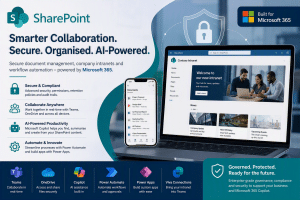
Refer to our main Microsoft Sharepoint page for general information
Key SharePoint Governance Features
Permission & Access Control
Control exactly who can access files, folders, libraries and sites.
Features include:
- Role-based access permissions
- Department-level security
- Guest access controls
- External sharing restrictions
- Least-privilege access principles
This helps prevent sensitive information being shared with the wrong people.
Data Retention Policies
Automatically retain or remove documents based on your business requirements.
Examples:
- Keep financial records for 7 years
- Retain HR records for compliance purposes
- Automatically archive old project documents
- Apply legal hold requirements
This reduces administrative burden while supporting compliance obligations.
Version Control
Every change to a document can be tracked.
Benefits include:
- View document history
- Restore previous versions
- Track who made changes
- Reduce accidental data loss
- Improve accountability
Users can confidently collaborate without fear of overwriting important information.
Site Ownership & Accountability
SharePoint governance tools help identify site owners and ensure every site has responsible individuals assigned to manage content and permissions. Administrators can also automate owner reviews and confirmations.
Oversharing Protection
Modern SharePoint governance includes controls designed to identify and reduce excessive sharing of data, helping organisations maintain secure access to business information while supporting Microsoft 365 Copilot deployments.
Content Lifecycle Management
Governance policies help manage information throughout its lifecycle.
This includes:
- Content reviews
- Archiving policies
- Site lifecycle management
- Inactive site identification
- Automated clean-up processes
This keeps SharePoint organised and prevents content sprawl.
Audit Trails & Reporting
Administrators can review activity and changes across SharePoint environments.
Typical reporting includes:
- File access history
- Permission changes
- Site modifications
- Sharing activity
- Administrative actions
These audit capabilities assist with compliance, investigations and security monitoring.
Data Classification & Sensitivity Labels
Through Microsoft Purview integration, businesses can classify and protect sensitive information.
Examples:
- Public
- Internal
- Confidential
- Highly Confidential
Protection can follow the document wherever it is shared. This is particularly valuable for engineering firms, manufacturers, care homes and professional services organisations handling sensitive information.
Governance for Microsoft Copilot
As organisations adopt Microsoft 365 Copilot, governance becomes increasingly important.
Good SharePoint governance helps:
- Improve AI search results
- Ensure Copilot references accurate information
- Reduce obsolete content
- Minimise oversharing risks
- Increase trust in AI-generated responses
Microsoft specifically positions SharePoint governance and content management as important preparation for Copilot and AI-powered knowledge management.
Website Copy Suggestion
SharePoint Governance & Compliance
A successful SharePoint deployment is about more than document storage. Effective governance ensures your data remains secure, organised and compliant as your business grows.
With SharePoint governance, your organisation can:
✅ Control who has access to information
✅ Protect sensitive company data
✅ Track document and permission changes
✅ Apply retention and compliance policies
✅ Manage content throughout its lifecycle
✅ Reduce information sprawl
✅ Support Microsoft 365 Copilot adoption
✅ Improve cyber security and compliance posture
At EC Computers, we help businesses implement practical SharePoint governance frameworks that balance security, compliance and productivity, ensuring your Microsoft 365 environment remains organised, secure and ready for future growth.
🔷 Book a Free SharePoint Consultation – Discover how SharePoint, Microsoft Teams, Copilot and Microsoft 365 can improve collaboration, security and productivity across your business or call 0117 200 1000